Introducing Airside: List Your Models on LLM Gateway
Airside is the self-serve carrier console where LLM providers claim their listing on LLM Gateway, register models, file prices for review, and tune the discount and margin that win routed traffic. Listing costs a one-time $2,500 fee per provider company, and every model is verified live before it goes on the departure board, with a per-request breakdown of what your endpoint served.
· Updated
Getting a model provider listed on a gateway has meant sales calls, a shared spreadsheet of prices, and waiting. That process quietly favors the largest labs: a regional GPU cloud with a fast GLM deployment, or a lab shipping its first open-weight model, rarely makes it onto the departure board at all. Developers lose too, because every provider that never gets listed is one fewer competing on price and uptime for their traffic.
Airside replaces that process with a console. Providers claim their listing, register their models, file their prices, and watch traffic arrive, at airside.llmgateway.io. LLM Gateway is the airport, developers are passengers, and providers are carriers.
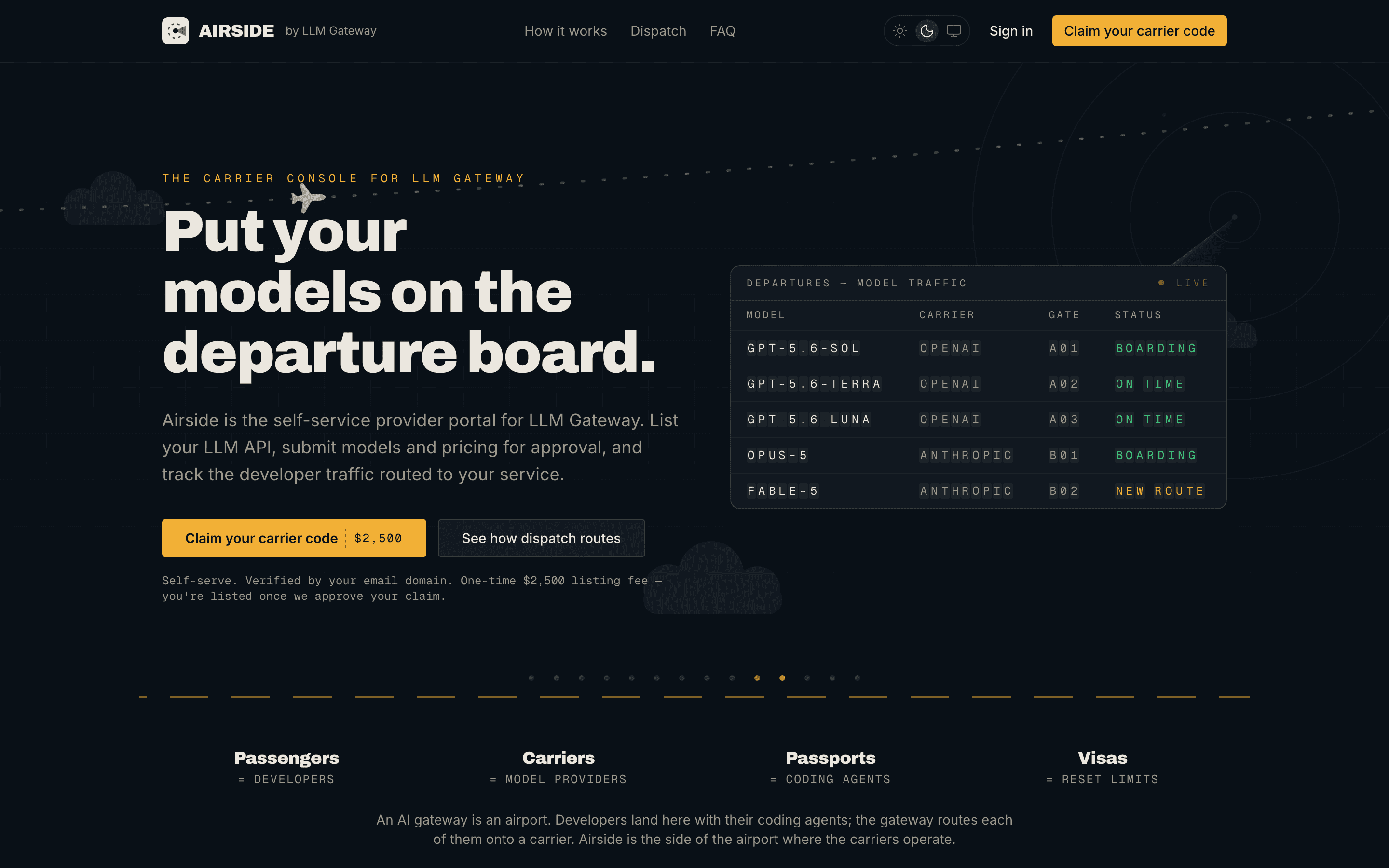
Claim your carrier
Sign up with your company email and verify it. When its registrable domain matches your API endpoint's domain or your published website, your catalogue entry is claimable: ops@example.ai claims the carrier serving api.example.ai, and that check is enforced server-side, so nobody can squat a provider they do not run. Not in the catalogue yet? Register a new carrier from onboarding by pointing Airside at your API on the same domain. Enter the base URL only: Airside rejects a URL that already contains /v1 or /chat/completions, since the gateway appends the endpoint path itself.
Every claim and registration is reviewed by our team before it goes live. One company can operate several carriers, for regional deployments or separate brands, and a listing covers your whole crew: invite up to 10 teammates by email, and each new carrier gets a shared Slack channel with us.
File your fleet
Under Fleet, register each model with its context size, maximum output, capability flags, supported reasoning efforts, and launch pricing. Carriers claiming an existing catalogue provider can import their catalogue models in one click; routing keeps using the static entry until we retire it, and from then on the Airside listing takes over.
A listing can say a lot more about how you serve the model:
- Catalogue identity. Registering a model the catalogue already knows reuses its name, description, and family, and Use catalog price copies another provider's flat prices into your tariff as a starting point. New models pick a family from the catalogue's suggestions or name a new one.
- Upstream model ID. The id your API expects, when it differs from the one developers call.
- Quantization. Declare the weights you serve, from
int4tofp32. Approved values show on your Fleet card and on the public model card. - Accepted
tool_choicemodes. Tell the gateway which ofauto,required,none, and named functions your endpoint honors, so it never forwards one your deployment mishandles. - Rate limits. Optional requests per minute and per day, shared across all organizations or counted per organization.
- Regional fares. Per-region price overrides that developers reach with
<provider>/<model>:<region>; everything else pays the default fares.
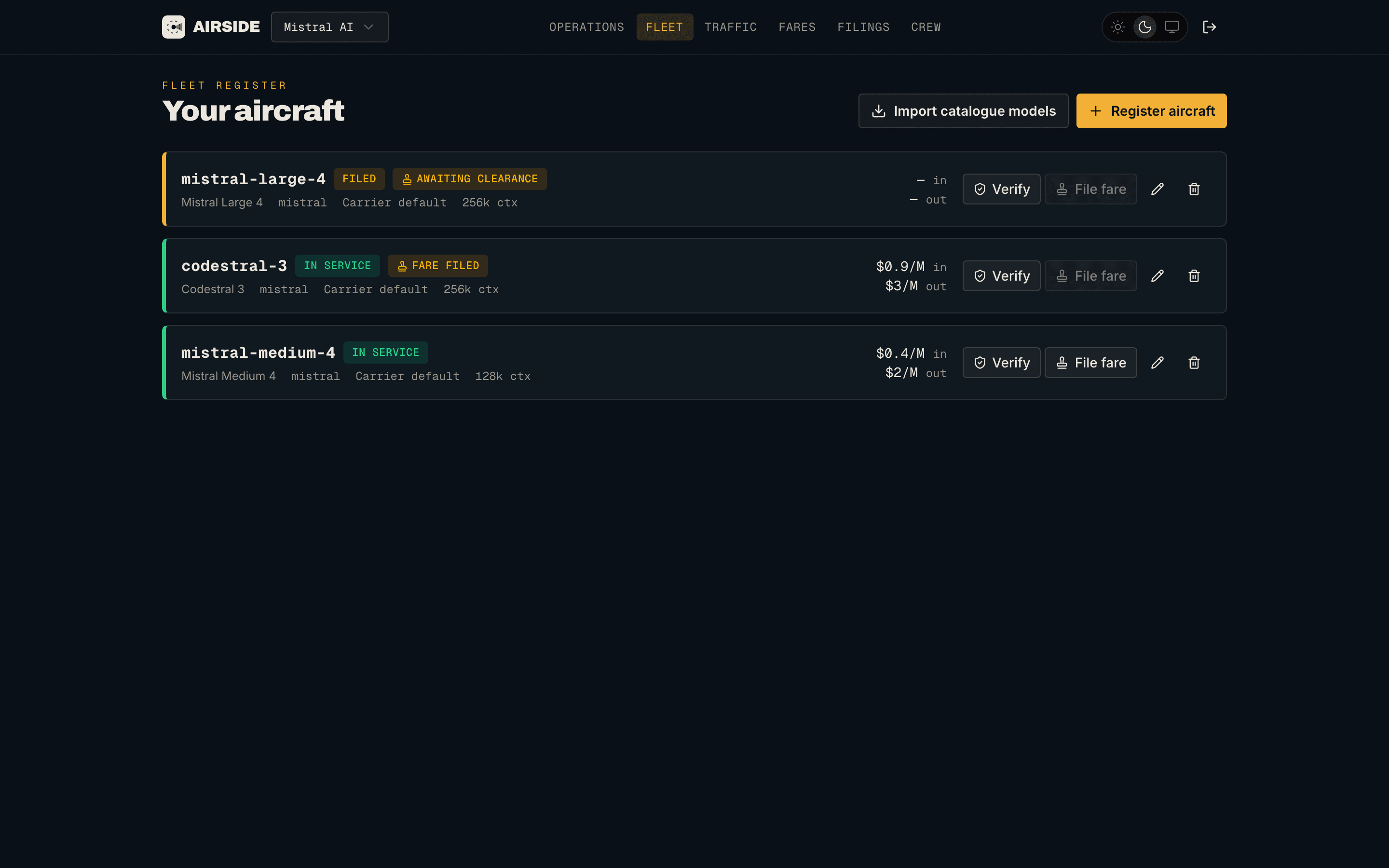
Listed prices are what developers are billed, so pricing never changes silently. The initial filing activates the model once approved, and every later price change is an update filing that you draft and we approve before it takes effect. Metadata changes on a live listing are filed for review too, and you can keep refining a pending change: saving again replaces it in place, and saving the live values withdraws it. Approved listings are genuinely routable: a request for <provider>/<model> resolves against active Airside listings and is billed at the filed prices, with no extra configuration on the developer side.
Every listing is verified before it flies
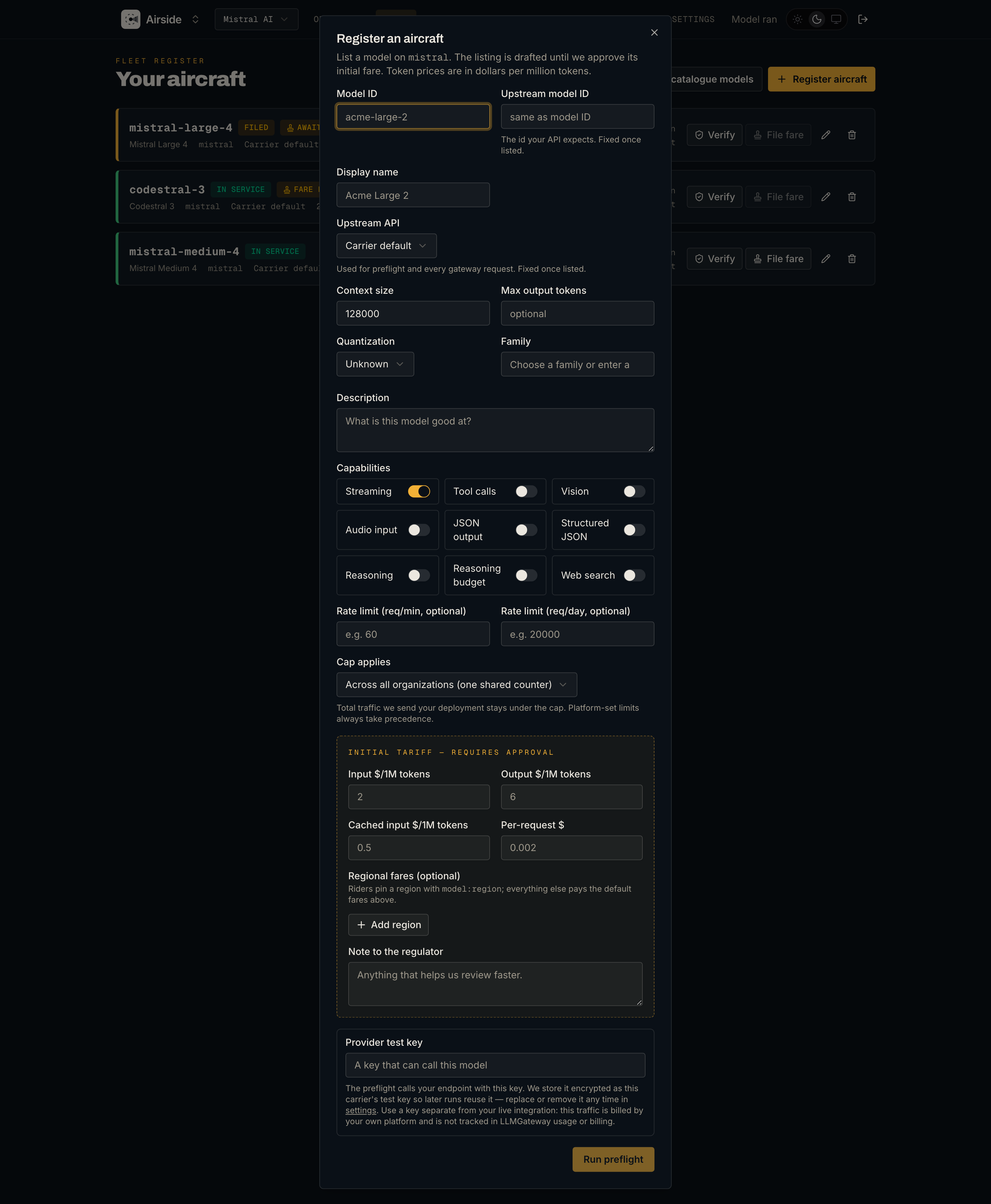
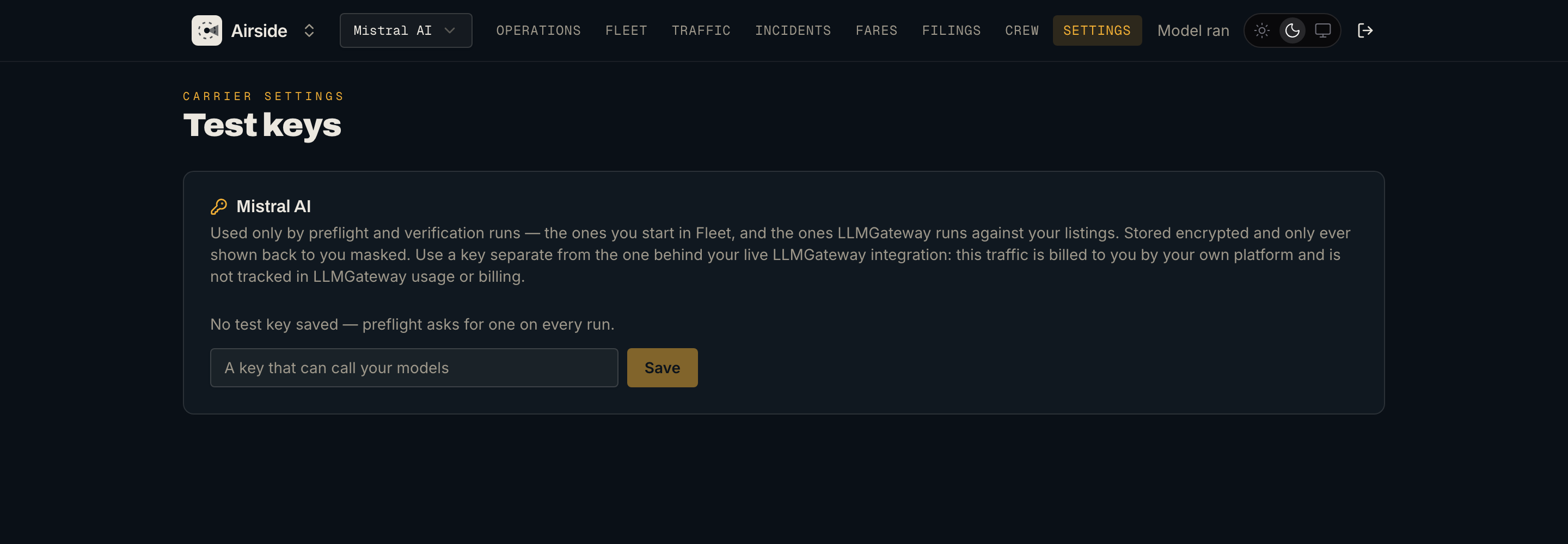
A listing is a set of claims, and a wrong claim costs developers a 400. So before a model can be filed, Airside runs a preflight verification against your endpoint. You paste a provider API key once: it is stored encrypted as your carrier's test key, reused by later runs (yours and ours), and can be replaced or removed under Settings. Use a key separate from your live integration, since preflight traffic is billed by your own platform. Then pick the upstream API the gateway should speak (carrier default, OpenAI Chat Completions, OpenAI Responses, or Google Vertex generateContent), and every capability you declared gets its own live check:
| Check | Runs when you declare |
|---|---|
| Basic completion | Always |
| Streaming | Streaming |
| Vision input | Vision |
| Audio input | Audio input |
| Tool calls | Tools |
| JSON output | JSON output |
| Structured JSON | JSON schema output |
| Reasoning | Reasoning |
| Reasoning budget | A reasoning token budget |
| Web search | Web search |
Results come back per check, and each check lists every upstream request it actually sent. The tool check walks the tool_choice modes (required, a named function, then auto) and the reasoning check sweeps the effort tiers, so a mode or tier your endpoint refuses shows up as its own failed request next to the ones it served. The breakdown fills in while the run is going, and a check fails only when every one of its requests failed.
That distinction matters. A refused tool_choice mode or reasoning_effort tier comes off your declared set while the capability stays on, so a deployment that implements a subset verifies without you knowing the subset in advance. A check that fails outright is reported, not enforced: the listing stays exactly as you declared it and Fleet marks it In service · unverified until a run passes again. One refused request is as easily a transient fault as a missing capability, so fixing the endpoint or switching the flag off stays your call.
Editing a model after its preflight invalidates the run, and existing listings can be re-verified at any time. On a live listing, a capability you have edited is verified as filed, not as currently serving, so the run actually exercises what you are trying to prove. The verified capabilities appear as badges on the model's provider page on llmgateway.io, which is what developers and routing read.
Fares: two knobs that move routing
Under Fares, each carrier controls how it competes:
| Knob | Range | Effect |
|---|---|---|
| Traffic discount | 0–50% | Lowers your effective price in the routing election and, once approved, the price developers pay |
| Landing fee | 5–50% (baseline 20%) | The gateway margin you accept. Accepting more boosts your score; accepting less prices you up |
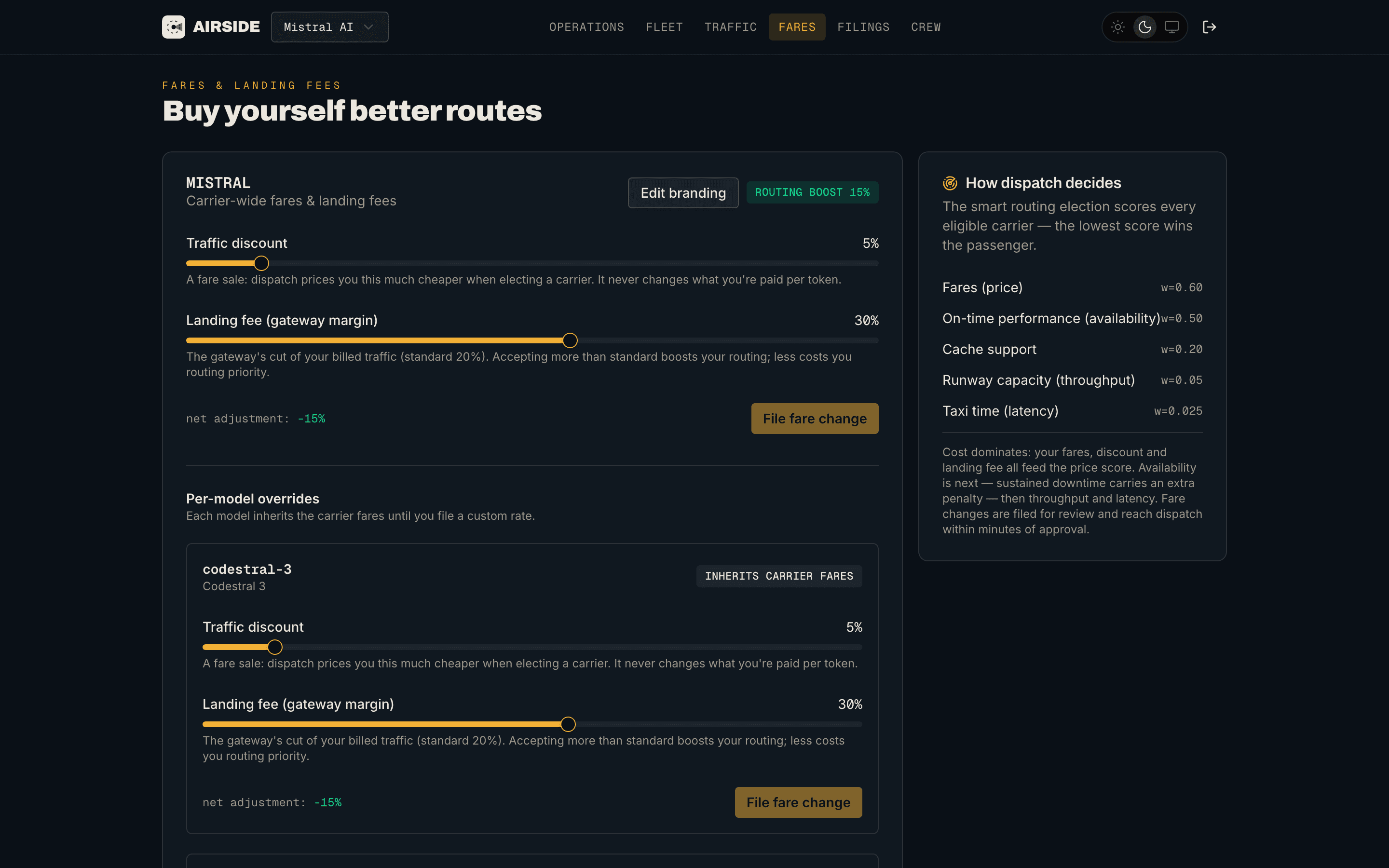
Individual models can carry custom fares instead of inheriting the carrier's, and like price changes, fare changes are filed for review before they reach routing. The election itself scores every candidate on expected token cost after discount and margin (cache-read savings included), availability, throughput, and latency, and the lowest score wins. There is no paid placement, and a cheap but flaky deployment still loses to a slightly pricier stable one.
Watch traffic arrive
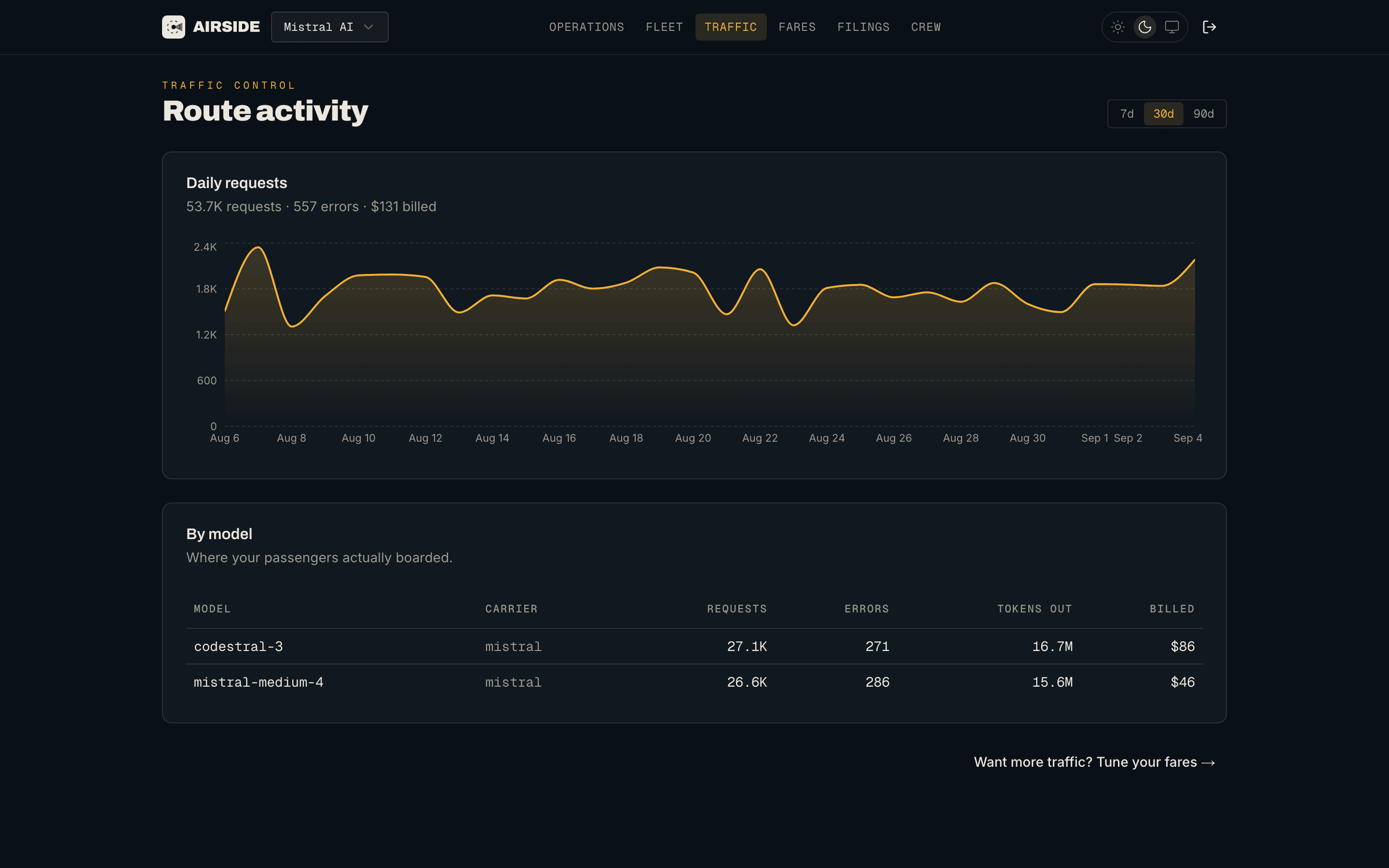
Traffic shows what your claimed providers actually serve: requests, errors, input, output, and total tokens, and billed USD, as a daily series and per model. The numbers are cross-tenant aggregates, so you see your volume without seeing who the passengers are.
When something breaks, Incidents shows which mappings failed in the last hour to three days: error rate, error count, the upstream versus gateway split, and the top error shapes behind each one, with the status, a response excerpt, and whether the request was streamed. Only errors that count against you are counted. Client mistakes, canceled requests, and content-filtered requests are left out, and every badge says what the error means for retries and uptime.
Guides and free tools
The Airside resources hub collects what a provider needs before the first request: guides on listing your LLM API and LLM inference pricing, plus free token cost and rate limit calculators that run in the browser with no account.
A short tour
What it costs
Listing on llmgateway.io carries a one-time $2,500 listing fee per provider company, paid through Stripe during onboarding and due before your claim is approved. Providers we already work with receive an invite code that waives it. There is no subscription and no minimum volume: once listed, you only share the landing fee you accept on the traffic you win. The full economics are on the Airside pricing summary.
Why we built it this way
The gateway's promise to developers is that routing picks on price and reliability, not on who paid for placement. Airside keeps that promise while opening the door: prices are public and reviewed, discounts and margins feed the same election every provider competes in, and verification means a capability badge is something we checked rather than something a provider typed. More carriers competing on those terms is the whole point.
Getting started
- Claim your carrier with your company email
- Read the Airside docs for claiming, fleet, filings, verification, fares, incidents, and the routing election
- Building on the passenger side? Every approved carrier is one more provider your requests can land on
One API key for every model.
Route to 200+ models with automatic failover, caching, and real-time cost analytics. Free to start — no credit card required.
Frequently asked questions
- How do I list my LLM provider on LLM Gateway?
- Sign up at airside.llmgateway.io with your company email. If its domain matches your API endpoint's domain or your published website, your existing catalogue entry is claimable; otherwise register a new carrier by pointing Airside at your API. Every claim is reviewed by the LLM Gateway team, and listing carries a one-time $2,500 fee per provider company unless you have an invite code.
- What does it cost to list a model on LLM Gateway?
- A one-time $2,500 listing fee per provider company, paid through Stripe during onboarding. There is no subscription and no minimum volume. Once listed, you share the gateway margin you accept, called the landing fee, on the traffic you win, with a baseline of 20%.
- How does LLM Gateway decide which provider serves a request?
- Every candidate provider is scored on expected token cost after its discount and landing fee (cache-read savings included), availability, throughput, and latency, and the lowest score wins. There is no paid placement. Offering a traffic discount or accepting a higher landing fee lowers your effective price in that election.
- What happens when a model fails verification?
- Airside reports which check failed and shows every upstream request behind it, but it does not switch the capability off on its own, since one refused request can just as easily be a transient fault. Fix the endpoint and verify again, or turn the capability off yourself. Where a check can tell a missing capability from a dialect, such as a toolchoice mode or reasoningeffort tier your endpoint refuses, only that mode or tier comes off the listing.
- Can I list a model that is not OpenAI-compatible?
- Yes. Each model declares the upstream API the gateway should use: the carrier default, OpenAI Chat Completions, OpenAI Responses, or Google Vertex generateContent. Airside's preflight verification runs through that format, so what passes verification is what serves traffic.